MemoryBody: Wearing Digital Memories
Concept
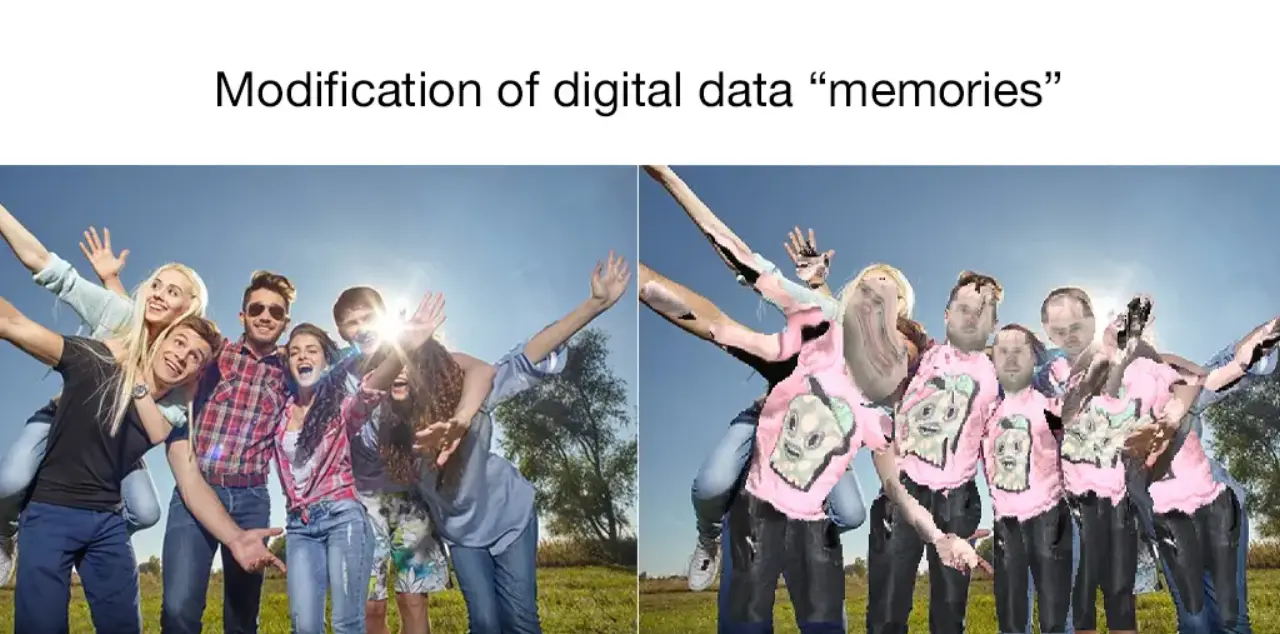
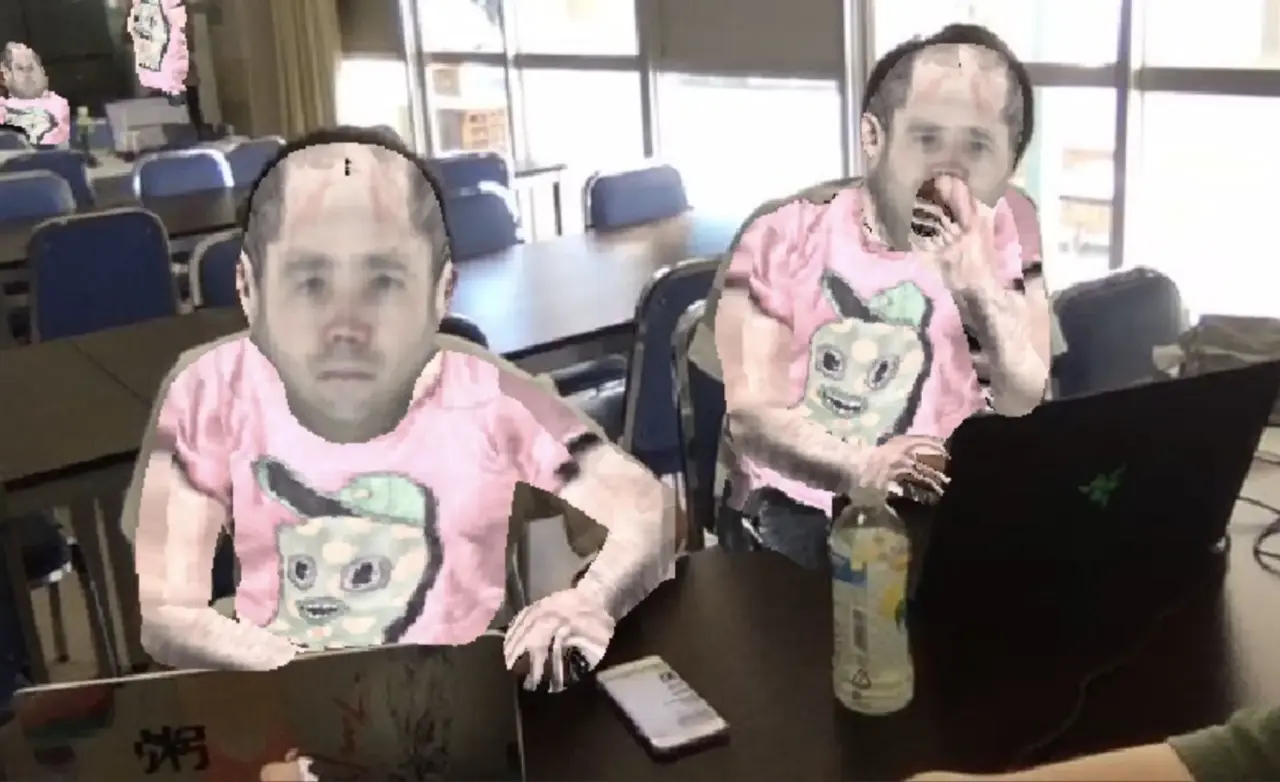
Data from past SNS posts quietly binds a person's identity, behavior, and future posts. By literally "dressing" users in their own past SNS post data, this interactive artwork lets them physically experience the relationship between digital memory and the self.
TechnicalApproach
The core technologies behind this work are DensePose (Dense Human Pose Estimation In The Wild, Facebook AI Research, CVPR 2018) and the texture transfer technique built on top of it.
IUVMappingwithDensePose
While conventional pose estimation predicts keypoints (joint coordinates), DensePose maps every human pixel in an image to a coordinate on a 3D body surface model (the SMPL model). This correspondence is represented as an IUV image — a 3-channel image analogous to RGB.
| Channel | Meaning |
|---|---|
| I (part index) | Which of the 24 body parts the pixel belongs to (e.g. front/back torso, upper/lower arm, thigh/calf) |
| U | Horizontal coordinate on that part's surface (scaled to 0–255) |
| V | Vertical coordinate on that part's surface (scaled to 0–255) |
The model uses DensePose-RCNN, built on a ResNet-101 + FPN (Feature Pyramid Network) backbone.
MappingtotheTextureAtlas
As the texture source, we use the texture atlas (texture_from_SURREAL.png) bundled with the SURREAL dataset. It is a single image consisting of 200×200 px texture patches for each of the 24 body parts, arranged in a 4×6 grid. The atlas is decomposed into 24 individual part textures as follows:
TextureIm = np.zeros([24, 200, 200, 3])
for i in range(4):
    for j in range(6):
        TextureIm[6*i+j, :, :, :] = Tex_Atlas[(200*j):(200*j+200), (200*i):(200*i+200), :]
The TransferTexture function reads the (I, U, V) coordinate indicated by each pixel of the IUV map and writes the corresponding pixel from the texture atlas back onto the original image. By converting SNS post text or images into this atlas format, we can project "memories of the past" directly onto the user's body surface.
ProcessingPipeline
- Capture photo (Web camera input via Google Colab + JavaScript)
- DensePose inference (generate IUV and INDS images with the ResNet-101 FPN model)
- Texture preparation (SNS post data → texture atlas for 24 body parts)
- Texture transfer (project texture onto the body surface using IUV coordinates)
- Output and display the composited image
TechStack
- DensePose (Facebook AI Research, CVPR 2018) — dense human pose estimation & IUV mapping
- ResNet-101 + FPN — backbone network for DensePose
- Detectron / Caffe2 — inference framework for DensePose
- SURREAL texture atlas — texture mapping foundation for 24 body parts
- OpenCV — image I/O and processing
- Google Colaboratory — GPU execution environment
Implementation
Source code is available on Google Colab.